
How to post a job on LinkedIn from Claude, and make the advert worth applying to
You can now post a job on LinkedIn from Claude for free. What the Hiring Pro connector can and can't do, and how to write an advert worth applying to.
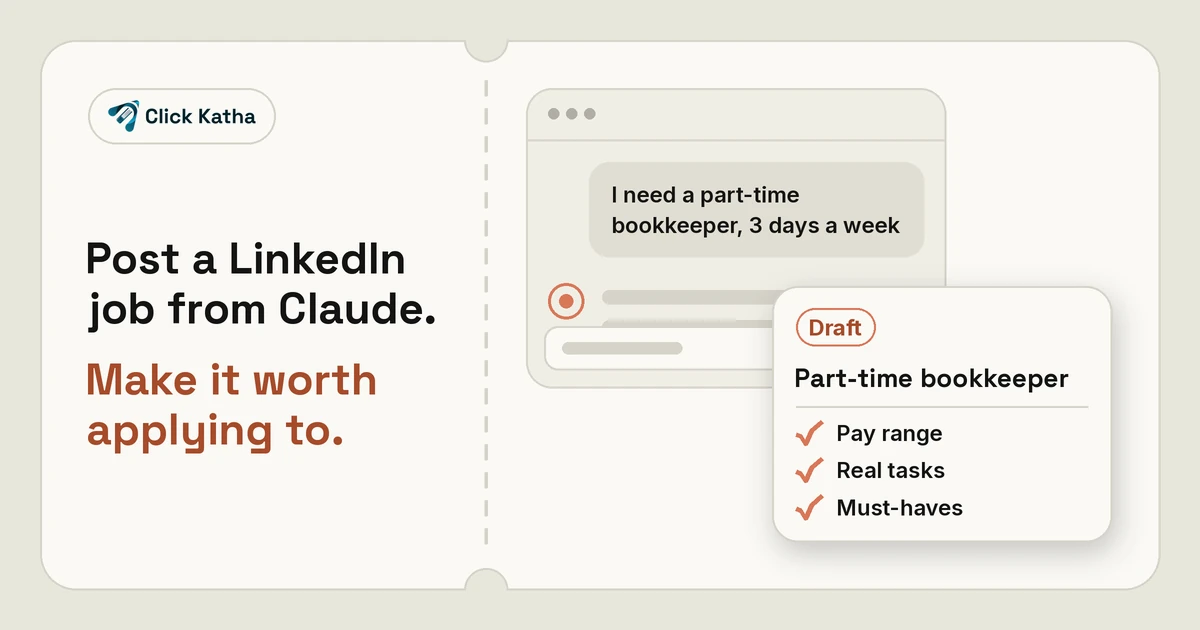
Short answer: Since 21 October 2026, LinkedIn lets hirers post a job on LinkedIn from inside Claude, Anthropic's AI assistant. You tell Claude about the role, it drafts the job post, and once you have edited and approved it, the job publishes on LinkedIn for free. LinkedIn's Hiring Pro then helps with candidates, although some of its features need a promoted (paid) job. It's live in Claude now, and LinkedIn says Copilot support is coming soon.
In our view, the AI part is the easy bit. It can write a tidy job advert in seconds, but only from what you give it. The real work for a small business owner is setting out what the job involves, what it pays and what genuinely matters, then reading the draft the way a candidate would.
What LinkedIn announced on 21 October 2026
In its newsroom post, Making it easier for small businesses to hire on LinkedIn, LinkedIn said hirers will have access to Hiring Pro, its hiring solution for small businesses, through Claude and Copilot. The flow it describes is short:
Tell Claude what type of job you're hiring for.
Claude drafts the job post.
You edit and approve it, and it publishes on LinkedIn for free.
Hiring Pro takes over from there. LinkedIn says it will "surface hidden talent, shortlist candidates fast, and connect you with the right people instantly". (Some of this needs a promoted job; see the limits below.)
LinkedIn's FAQ on the same page says the LinkedIn plugin is available to all Claude users through the connector library. It also says the partnership covers Hiring Pro jobs only, not Recruiter, Job Slots, Hiring Assistant or LCP.
How the LinkedIn Hiring Pro connector in Claude works
The Claude connector listing describes LinkedIn Hiring Pro as a way to "draft, review, and post one free LinkedIn job from Claude". Sign-in is required, and the connector is for eligible LinkedIn members. LinkedIn's Hiring Pro page adds that Hiring Pro is currently available to English-speaking LinkedIn members.
You share or confirm:
the job title and company
the location and workplace type
the employment type
the responsibilities
the skills
Claude drafts the job description. LinkedIn then opens an interactive review showing the complete job and the applicable Jobs Terms. Nothing is posted until you select Agree and post. The connector can also resolve unclear company and location matches, complete work-email verification when it's required, and show whether the job is live or under review. So don't assume the job appears the moment you agree.
What the LinkedIn connector can't do
This is the fine print to know before you start. The listing says the connector "does not create paid or promoted jobs, edit or close existing jobs, or manage applicants". In practice it posts one free job, and anything after that, such as changing the advert, closing the role or handling applications, happens on LinkedIn itself.
There's a second limit on the Hiring Pro side. LinkedIn says that to use other features, such as finding and inviting qualified candidates daily or AI-assisted applicant sorting, "you'll need to promote your job post". A promoted job is a paid one, and the connector can't create it.
How to write a job advert the AI can't write for you
The hard part is knowing what the job really is and saying it plainly. An AI will happily produce a polished, generic advert, and we think generic adverts tend to attract the wrong people. Here is what we suggest doing before and after you ask Claude for a draft.
1. Write down the real weekly tasks
Before you open Claude, write five bullet points on what this person will actually do in a normal week. Not "support the team" but "answer customer emails each morning". Those lines become the responsibilities Claude works from, and they help a candidate picture the job.
2. Decide the pay range and put it in
Settle the range before drafting and include it in what you give Claude. In our view, vague pay puts good people off, and it wastes everyone's time if expectations are far apart.
3. Keep the must-haves to three or four
Split "must have" from "nice to have". Keep the must-haves to three or four things the person genuinely can't do the job without. We think a long list of requirements can put off people who would do the job well.
4. Read the draft as the candidate would
When the draft appears in LinkedIn's review, read it as someone deciding whether to apply. Is it clear what the job is, where it's based and what it pays? Cut any sentence that could describe any company, and add one or two details only you know, such as why the role exists now.
5. Check it's fair, then post
LinkedIn is clear that responsibility sits with the hirer. Its Hiring Pro page says the feature "may produce surprises or mistakes", that you should review all recommendations and make necessary edits, and that you "may need to add additional information or follow specific processes as required by law". Check the wording is fair and inclusive before you select Agree and post.
Who the free LinkedIn job post from Claude suits
If you're a small business hiring for one role and you already use Claude, we think this is a quick way to get a clean first draft and a free listing in one place. If you need to edit or close jobs, manage applicants or use the daily candidate features, you'll be working in LinkedIn directly, because the connector doesn't do those things.
What it means for your business online
In our view, people who read your advert will often look you up, so your LinkedIn page, website and social profiles become part of the advert. That's where steady, organic social media management helps. For another look at how AI tools are changing small-business admin, read our piece on Grok Voice 3 as an AI receptionist.
Posting a LinkedIn job from Claude: FAQs
Can I post a job on LinkedIn for free from Claude?
Yes. LinkedIn says that once you edit and approve the draft, it publishes on LinkedIn for free. The Claude connector listing says it posts one free job, and nothing is posted until you select Agree and post. Sign-in is required, and the connector is for eligible LinkedIn members.
What can't the LinkedIn Hiring Pro connector do?
The connector listing says it does not create paid or promoted jobs, edit or close existing jobs, or manage applicants. You do those things on LinkedIn.
Do all Hiring Pro features work on a free job post?
No. LinkedIn says that to use features such as finding and inviting qualified candidates daily or AI-assisted applicant sorting, you'll need to promote your job post. That means a promoted, paid job, which the connector can't create.
Is it available in Copilot?
Not yet. LinkedIn says it's live in Claude today and Copilot support is coming soon.
Will Hiring Pro decide who I hire?
No. LinkedIn says Hiring Pro will not make hiring decisions for you. It makes recommendations, and the final hiring decisions remain with you.
Hiring soon and want your business to look worth joining?
Candidates may look you up before they apply. If you'd like help keeping your website and social profiles current, get in touch through our contact form.
Sources: LinkedIn newsroom, "Making it easier for small businesses to hire on LinkedIn" (21 October 2026); Claude connector listing for LinkedIn Hiring Pro; LinkedIn Hiring Pro page. All checked 22 October 2026.
LinkedIn is a trademark of LinkedIn Corporation. Claude is a trademark of Anthropic. Click Katha is not affiliated with either.